
Fix a PC that won't boot, without reinstalling Windows.
Most boot problems aren't a dead PC. They're a few damaged files that tell Windows how to start. Boot Restorer backs those files up while your PC works, and if it ever won't start, puts them back from a recovery USB or rebuilds them from the clean copies Windows keeps. No reinstall, and your files are never touched.
The startup errors people see most.
Find what's on your screen, and how Boot Restorer puts it right.
| What you see | Usual cause | Fix |
|---|---|---|
| "Boot configuration data is missing" | Damaged or missing BCD | Rebuild BCD |
| "No bootable device" / "Operating system not found" | Boot record or EFI files | Boot records, EFI repair |
| "Preparing Automatic Repair" loop | Startup files or an unfinished update | Break the loop |
| Black screen after the logo | Driver or startup files | Startup files, safe mode |
| Windows missing from the boot menu | Lost boot entry | Detect and add |
| Won't start after cloning to a new SSD | Boot files left on the old drive | EFI / MBR rebuild |
| Drive not detected at all | Hardware or connection | Check hardware |
Everything it takes to get Windows starting again.
Boot Restorer finds the damaged boot files, tells you what's wrong in plain English and puts them right, backing up everything it changes first.
Guided "PC won't start" mode
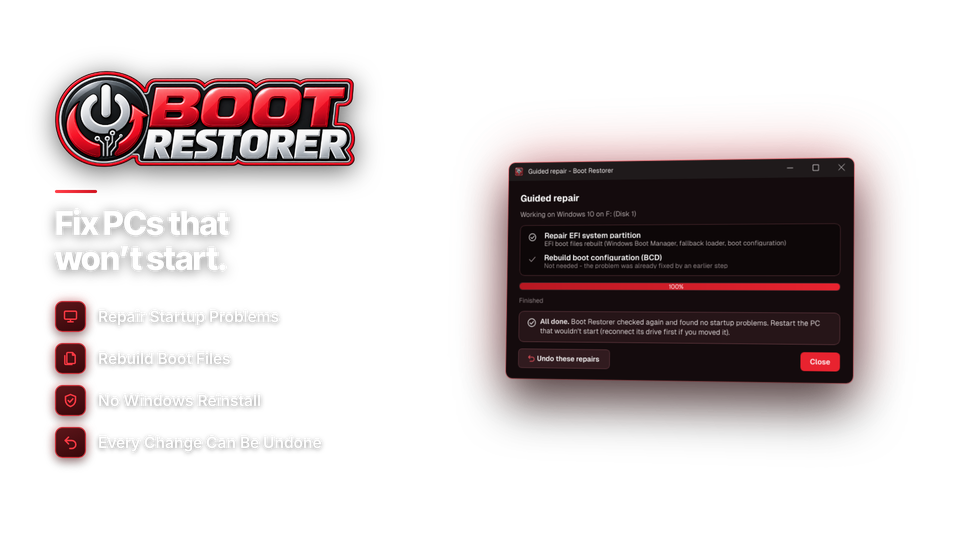
Guided mode checks the boot configuration, the EFI or boot manager files, the boot records and the startup files, explains what it found in plain English, and offers the right fix, starting with your own backup. Advanced tools are there when you want them.
Recovery USB with a rescue menu
Save your boot backup, a rescue menu and Boot Restorer itself to any USB stick. If the PC won't start, run the rescue menu from Windows' recovery Command Prompt or a Windows installation USB. No internet needed.
Detect Windows installations
Boot Restorer finds every Windows installation on the PC, on UEFI or older BIOS computers, and adds any that are missing from the boot menu.
Fix the BCD and EFI partition
Rebuild a missing or damaged boot configuration (BCD) and repair the EFI system partition's boot files on UEFI PCs, including after cloning Windows to a new SSD, when the boot files are left behind on the old drive.
Rebuild boot records
Fix "No bootable device" and "Operating system not found" on BIOS PCs by rebuilding the master boot record and boot sector.
Startup files and boot loops
Repair damaged startup files, stop the "Preparing Automatic Repair" loop, roll back an unfinished update, and start Windows in safe mode so you can remove a bad driver.
Copy files off first
Worried about your files? Copy documents and photos to a USB drive, from Boot Restorer or its rescue menu, before you repair anything.
Back up now, undo any repair
Back up the boot configuration, EFI or boot manager files and boot records while the PC works. Every repair saves a backup first, so it can be undone in one click.
Boot menu editor and reports
Use the boot menu editor to sort out the start-up menu on PCs with more than one Windows, and save a report of what was found and fixed for your records or a customer.
Ready in minutes. Back to the desktop in four steps.
Do the first two while your PC works, so you're ready if it ever won't start.
Back up now
Save your boot configuration, EFI files and boot records.
BCD + EFI ✓
Make the USB
Your backup, the rescue menu and Boot Restorer on any USB stick.
rescue menu ✓
If it won't start
Run the rescue menu from Windows' recovery Command Prompt.
from recovery prompt
Restore
Put your backup back, or rebuild the boot files from Windows' clean copies.
files untouched
For anyone staring at a PC that won't start.
Home users
Plain-English steps get Windows starting again tonight, without a reinstall or a trip to the repair shop.
IT and support teams
Back up boot files on the PCs you look after and keep a recovery USB ready for the day one won't start.
Repair shops
Diagnose, back up, fix and report in minutes. Ask us about a technician license for customer PCs.
One license. Every repair tool.
Guided repair, the recovery USB and rescue menu, boot backup and undo are all included. No subscription. Free updates.
- RepairsBCD, EFI, MBR, startup
- Recovery USBRescue menu included
- Runs onWindows 10 & 11
- Repairs Windows7, 8, 8.1, 10 & 11
- UpdatesFree
- Activations1 PC
- DeliveryDownload + key by email
Checkout
You'll go straight to your download page once payment is confirmed, and we'll email your download link and installation key.
Already bought? Get your download link again · Refund policy
Get our free boot repair guides by email.
Practical guides to keeping Windows starting: what to back up, how to make a recovery USB and how to fix the most common startup errors. Plus update notices for Boot Restorer.
We'll email you a link to confirm first. Unsubscribe any time. Privacy policy
What the guides cover
- Fixing "Boot configuration data is missing"
- Breaking the "Preparing Automatic Repair" loop
- Making a recovery USB before you need it
- Getting a cloned SSD to start
Startup repair questions, answered.
How do I use it if my PC won't start?
Make the Boot Restorer recovery USB on a working PC - ideally this one, before anything goes wrong. If the PC won't start, open Windows' own recovery Command Prompt (Troubleshoot > Advanced options > Command Prompt, or start from a Windows installation USB) and run the Boot Restorer rescue menu from the USB. It puts your backup back, or rebuilds the boot files from the clean copies Windows keeps.
Will I lose files or programs?
No. Boot Restorer only repairs the files Windows uses to start. Your documents, photos and programs are not touched, and you can copy files off first if you want to.
What problems can it fix?
Missing or damaged boot configuration (BCD), EFI and boot record errors, "No bootable device" and "Operating system not found", repair loops, Windows missing from the boot menu, damaged startup files and PCs that won't start after cloning to a new SSD.
Does it work on UEFI and BIOS PCs?
Yes. Boot Restorer and its rescue menu repair EFI boot files on UEFI PCs and boot records on BIOS PCs.
Do I need to back up first?
A backup made while the PC works is the best protection, because Boot Restorer can put your own boot files back. Without one, it still repairs the PC using the clean boot files Windows keeps.
Which Windows versions does it repair?
Boot Restorer runs on Windows 10 and 11. It repairs Windows 7, 8, 8.1, 10 and 11, and the rescue menu works on any of them - even a PC that never had Boot Restorer installed.
Can I undo a repair?
Yes. Boot Restorer backs up the current boot files before every repair, so any repair can be undone in one click.
What if my drive isn't detected?
That is usually a hardware or connection problem rather than damaged boot files, and Boot Restorer will tell you so.
Can I try it before buying?
Yes. Scanning and diagnosing are free. Backing up, restoring, repairing, the recovery USB and copying files unlock with your installation key.
Can I use it on customer PCs?
The standard license covers your own computers. Contact us about a technician license for customer PCs.
Is it a subscription?
No. It is a one-time payment of $39.95 with free updates.
How do I get the software after paying?
You go straight to your download page once payment is confirmed, and your download link and installation key are emailed to you. In Boot Restorer, choose Settings > Enter Installation Key and click Activate.
More questions? See the user guide or our guides.
Don't reinstall. Restore your boot.
Back up your boot files today. If the PC ever won't start, put them back, or let Boot Restorer rebuild them.
Get Boot Restorer · $39.95